
You can delete speed-override geofences (ones that were added on the Geofence Based Speed Override screen solely for the purpose of fixing an inaccurate posted speed limit value) if you no longer need them. To do so, follow these steps:
Note: If you might need the geofences sometime in the future, you can instead deactivate them and later reactivate them. (See Deactivating/Activating Speed-Override Geofences for details.)
- Click
 >> Road Geofencing.
Note: Don't be confused by the menu item name (Road Geofencing). It doesn't match the label of the page it opens.
The Geofence Based Speed Override screen will appear.
- Click the check box on the far left in the row of the geofence(s) you need to delete.
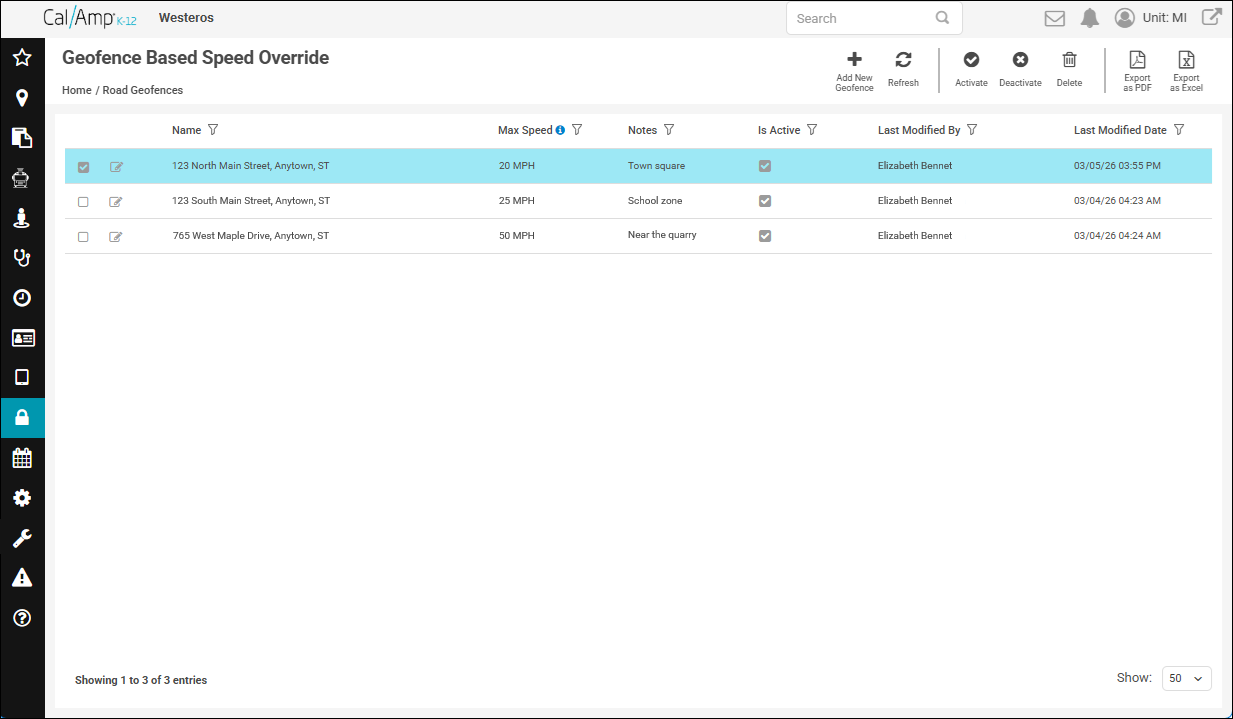
- Click
 at the top right of the screen.
A warning dialog box will appear.
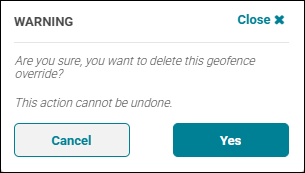
- Click Yes.