
Student Ridership
- On the Ridership Monitor, fixed a bug that would repeat scans in the lower grid for unknown students.
Mobile Data Terminals (Bus Guardian Version 2026.03)
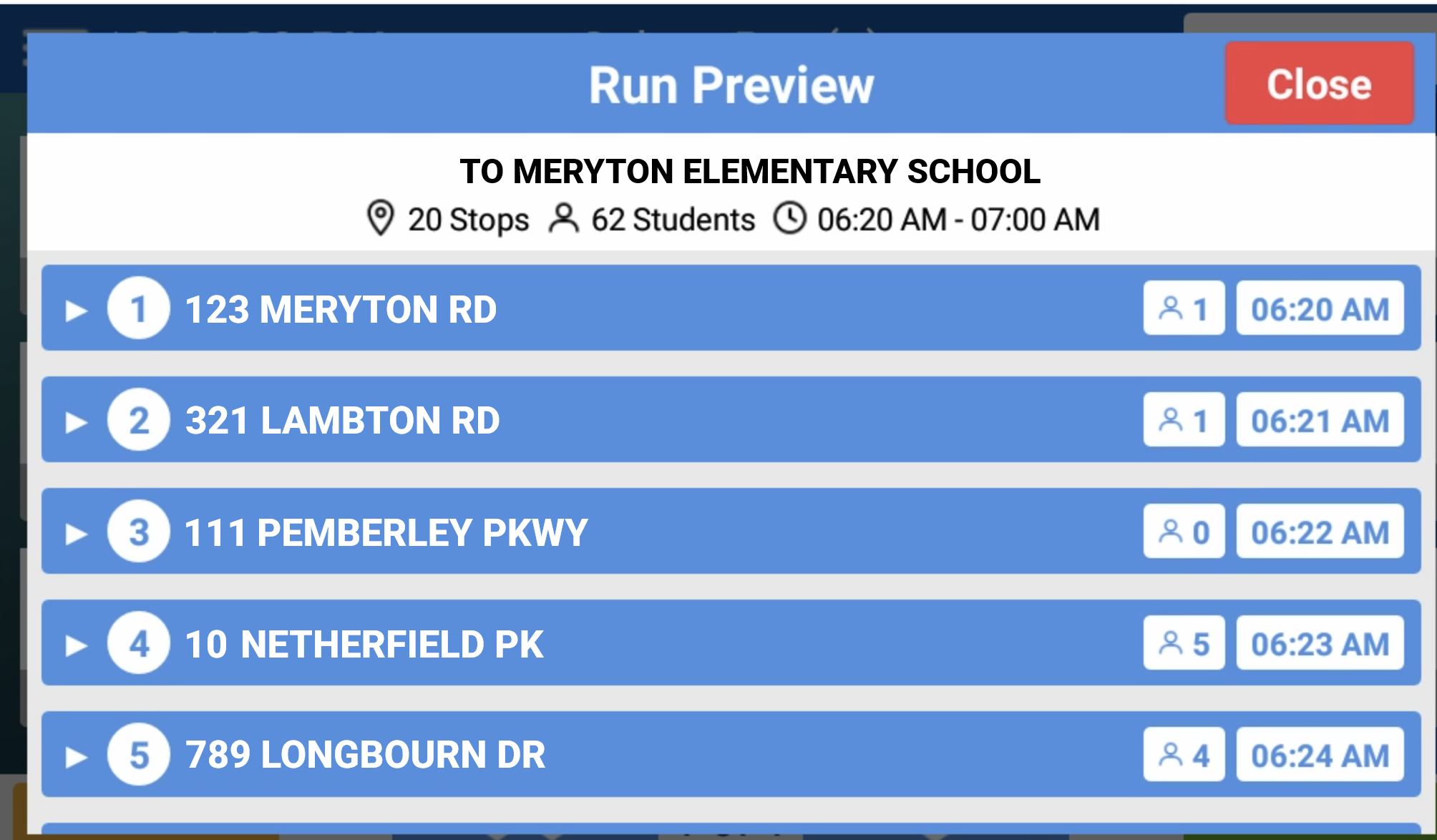
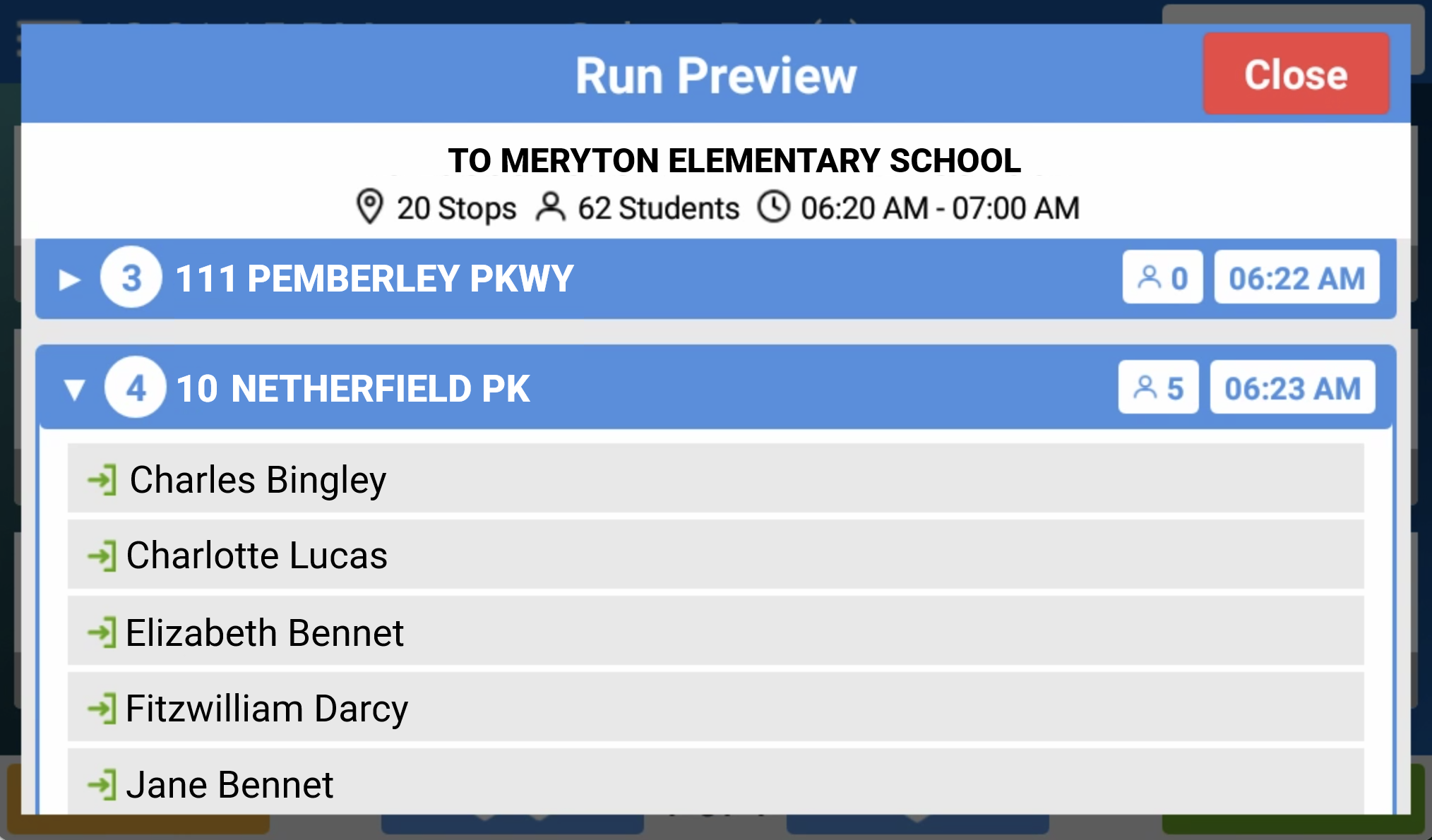
- Added a Run Preview screen, which will show a preview of the stops and students for a tier so that drivers can see what route they are picking up (in the case of a bus substitution) in advance. Drivers can launch this using the new Preview button on the Select Run(s) page and then tap a stop to see the students to pick up there.
- For customers using inspections with an Odometer data type that is set to be required, added validation that won’t allow drivers to submit an odometer value of 0.
- For customers using inspections, added the ability for school districts to write their own certification messages (instead of using the default verbiage).
Note: Users can enter this on the Add/Edit Template screen in the Completed-Inspection Assurance Message field. - For Navigation customers, improved how the school and home bus stops appear on the map screen by placing a shaded circle over the stop, so the driver will know when they are in its geoboundary.
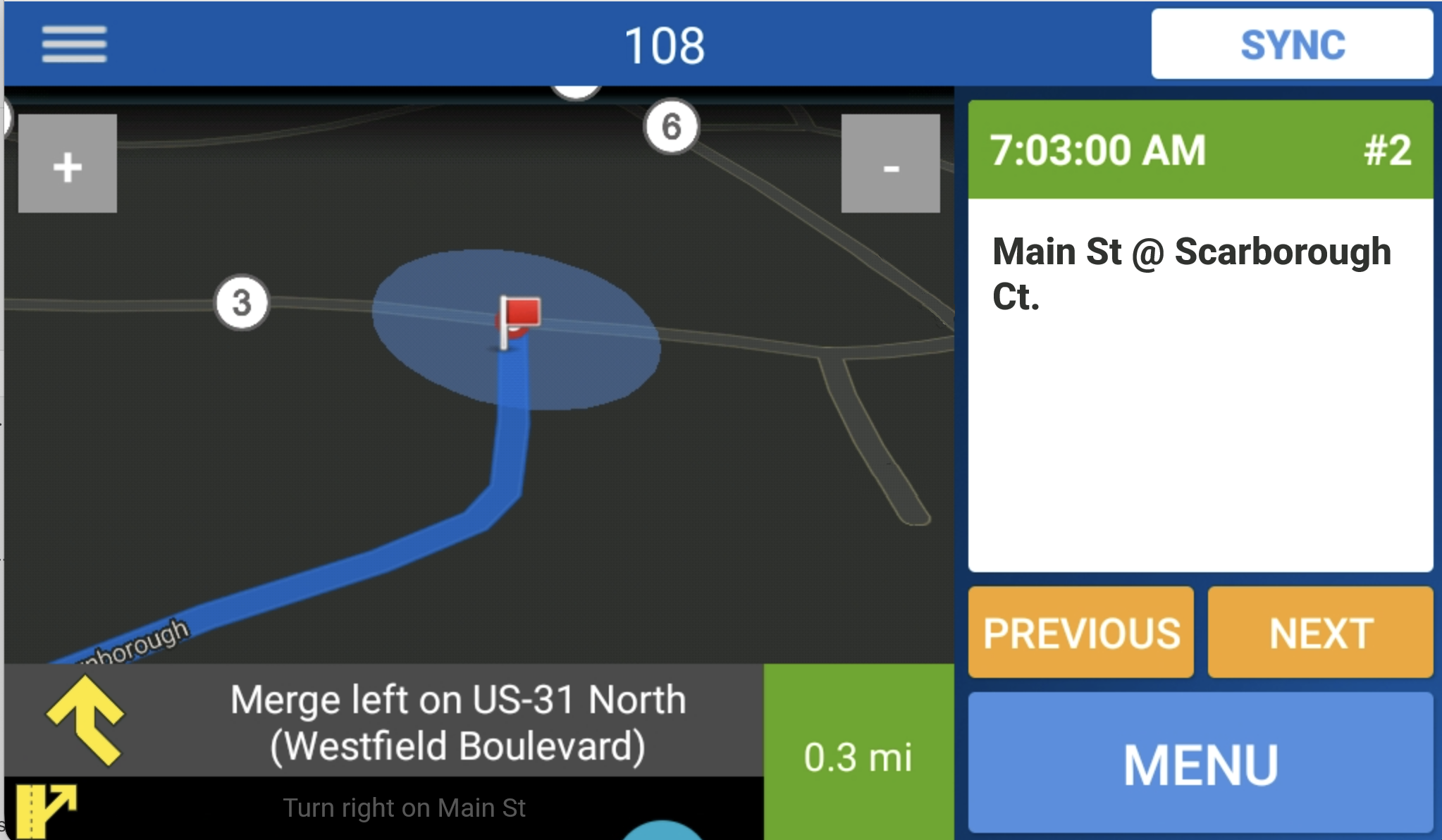
- In Navigation, returned to using red flags as bus stop markers on the map for the stop being navigated to.
- Restored the timestamp to the top left of the Students list (which was removed for space back when we improved the Parent/Guardian Required setup).
- Fixed an issue that wouldn’t process substitutions made on the MDT correctly if the driver switched runs and then quickly followed up with a sync.
- Fixed an issue that would cause unplanned Ridership scans if two school bus stops were close, causing the wrong radius to be captured.