
If you have enabled the Challenges feature, your drivers can view their violation videos via the mobile app and challenge certain events. This offers them the chance to defend their actions if they feel they are not at fault.
On the Vision Portal's Challenges screen, you can see which incidents your drivers are disputing as follows:
- Click
 >> Challenges.
The Challenges screen will appear.
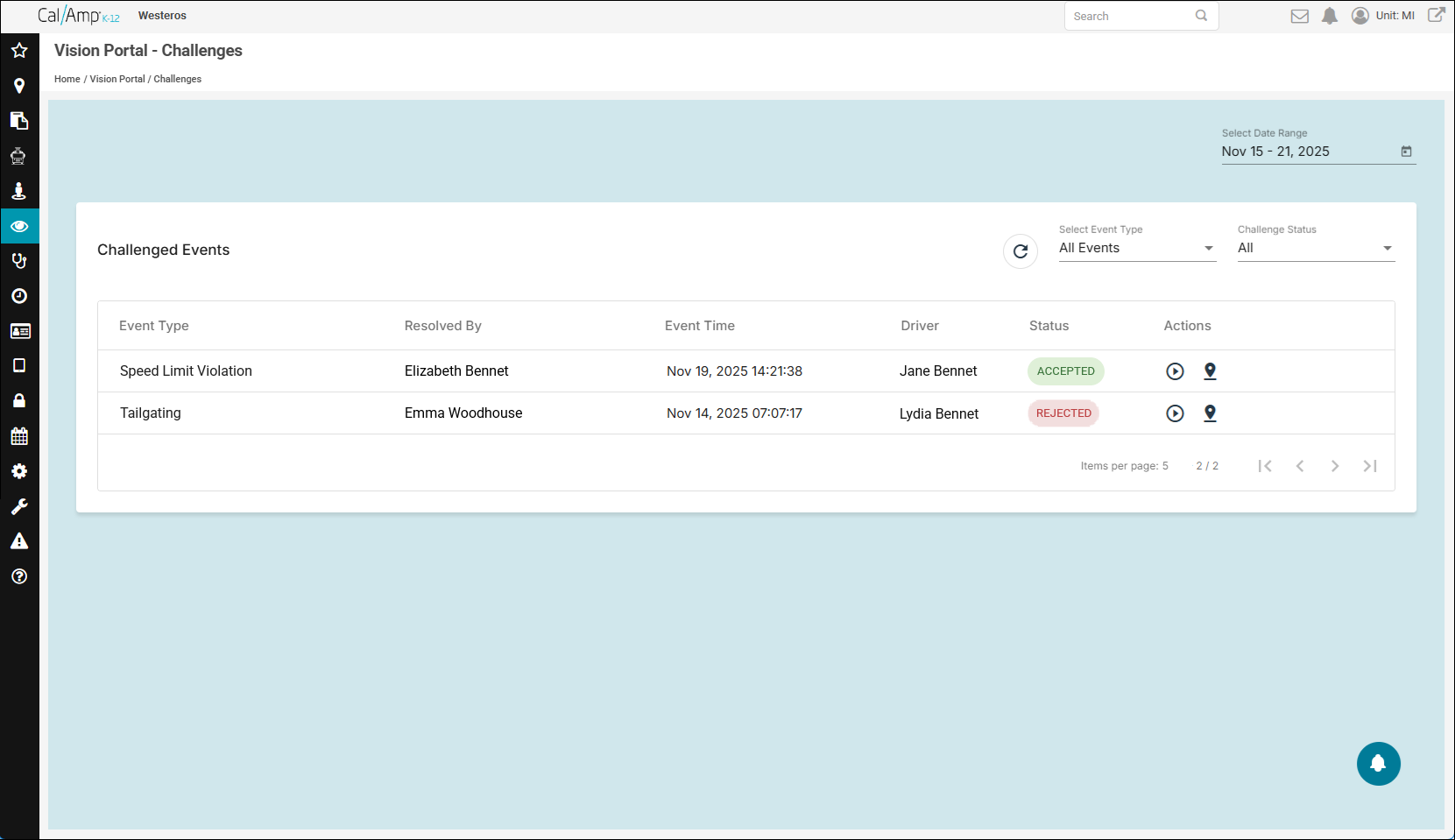
Here are descriptions of the column headings:
- Event Type: The type of safety event violation that triggered the video recording.
- Resolved By: The name of the supervisor who evaluated the challenge and made a judgment for it.
- Event Time: The date and time the event occurred.
- Driver: The driver's name.
- Status: The decision made by the reviewer in the Resolved By column, which will be one of the following:
- Accepted: The reviewer accepted the driver's defense, so the driver was found not to be at fault for the incident.
- Rejected: The reviewer rejected the challenge, so the violation will remain on the driver's record.
- Pending: The supervisor hasn't reviewed the challenged video yet.
- Accepted: The reviewer accepted the driver's defense, so the driver was found not to be at fault for the incident.
- Actions:
 enables you to view the video;
  opens the Trip Details window for the event.
- Event Type: The type of safety event violation that triggered the video recording.
- You can change the time period of the shown events by clicking the Select Date Range calendar picker and selecting the new dates.